
How Long Does It Take to Study for CompTIA Security+?
Preparing for the CompTIA Security+ certification depends on your IT experience, study habits, and weekly commitment. Here's a quick breakdown:
- Beginners (No IT Background): 2–3 months (200–300 hours). Focus on learning IT basics alongside security concepts.
- IT Professionals (1–2 Years Experience): 6–8 weeks (120–160 hours). Build on existing knowledge, emphasizing exam-specific areas.
- Experienced IT Professionals (3+ Years): 4–6 weeks (80–120 hours). Concentrate on filling knowledge gaps and practicing.
- Cybersecurity Experts: 2–4 weeks (40–80 hours). Prioritize updates and hands-on practice.
Study Tips:
- Use a mix of resources: a textbook, video course, and practice exams.
- Study 10–20 hours per week with daily, focused sessions.
- Aim for 85%+ on practice tests before scheduling your exam.
The key is consistent effort and understanding the material, not just memorizing it.
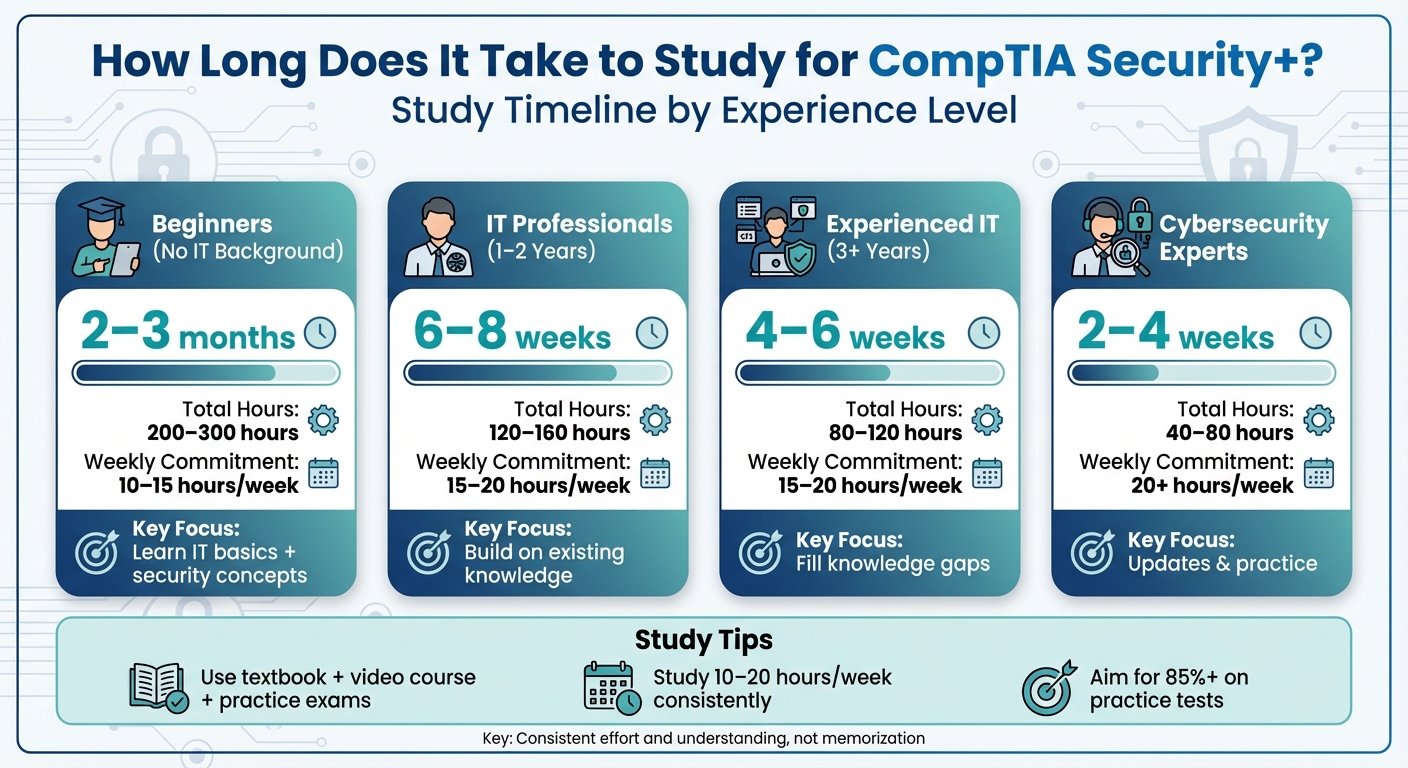
CompTIA Security+ Study Timeline by Experience Level
How to PASS Your Security+ in ONE MONTH | CompTIA Security+ Study Guide For a Complete Beginner

What Affects How Long You Need to Study
Your study timeline depends on several factors, and it’s not a one-size-fits-all situation. Knowing what influences your preparation time can help you set realistic goals and create a plan tailored to your needs.
Your IT Background and Experience
Your existing IT knowledge plays a huge role in deciding how much time you'll need to prepare. If you’re already working in IT, chances are you’re familiar with 30% to 40% of the Security+ material, particularly topics like networking basics, system administration, and access controls[1]. CompTIA advises having the Network+ certification or equivalent knowledge, along with about two years of IT experience, before tackling Security+[1][3].
If you’ve recently passed the Network+ exam, you’ve already covered a significant portion - about 35% to 40% - of the Security+ content. This overlap could save you anywhere from 40 to 65 hours of study time. Adam Goss, a cybersecurity professional at StationX, puts it this way: "If you've just done Network+, you've effectively already mastered between a third and almost half of what Security+ will test."[4]
For beginners, the story is different. You’ll need to build a foundation in IT fundamentals while also learning the security-specific material. This doubles your workload, requiring 200–300+ hours of preparation compared to the 80–120 hours typically needed by experienced candidates[1][4]. As the CompTIAHelp Team explains: "Starting with zero IT experience means you're essentially learning two things at once: foundational IT concepts AND Security+ specific material."[1] Your background not only determines how much time you’ll need but also which study methods will work best for you.
Study Approaches and Resources
Using a combination of one textbook, one video course, and high-quality practice exams - often called the "Trifecta" approach - is one of the most effective ways to prepare[3]. This method ensures you’re not just memorizing facts but also understanding how to apply them in real-world scenarios. For hands-on practice, tools like Nmap and Wireshark are essential, as they help you tackle Performance-Based Questions (PBQs), which test practical skills rather than theoretical knowledge[3][4].
Consistency is key. Daily sessions of 1–2 hours with spaced repetition are far more effective for long-term retention than cramming or marathon study sessions[1][4]. Before scheduling your exam, aim to consistently score 85% or higher on multiple full-length practice tests[1][2][7]. A Security+ trainer at StationX emphasizes: "Practice tests are not about the score; they're about exposing how you think under pressure and training you to think better next time."[3] Your background and study methods will ultimately dictate how you structure your weekly schedule.
Weekly Hours and Study Schedule
Most people find 10–20 hours of study per week to be effective[1]. Studying less than 10 hours a week can lead to forgetting material too quickly, while exceeding 25–30 hours often results in burnout and reduced retention[4].
Short, focused sessions of 45–90 minutes are better for maintaining mental sharpness than long, drawn-out study marathons[1]. A consistent schedule - such as learning new material from Monday to Thursday and reviewing it on the weekends - helps with retention and prevents burnout[1][3]. As the CompTIAHelp Team notes: "Consistency beats intensity almost every time."[1]
| Study Pace | Weekly Hours | Estimated Timeline |
|---|---|---|
| Intensive | 20–25 hours | 4–6 weeks |
| Moderate | 10–15 hours | 6–8 weeks |
| Part-time | 5–10 hours | 3–6 months |
These factors help shape the study timeline that works best for your level of experience and availability.
Study Timelines by Experience Level
Your level of experience plays a big role in how long it will take you to prepare. Based on the factors we’ve covered, here’s a breakdown of realistic timelines for different experience levels. Beginners will need more time to build a solid foundation, while seasoned professionals can focus on closing specific knowledge gaps and reviewing exam objectives.
Beginners: 2–3 Months
If you’re new to IT, expect to spend 2–3 months preparing, dedicating 10–15 hours a week. This adds up to the 200–300 total study hours typically required to build foundational IT skills (like those found in A+ or Network+ courses) alongside security-specific knowledge.
Start by learning the basics of networking - IP addresses, DNS, DHCP, and protocols - then move on to core security concepts. Focus on topics like the CIA triad, cryptography, threats, vulnerabilities, and security operations. Keep in mind that Security Operations is the most heavily weighted domain, making up 28% of the exam.
Consistency is key. Studying 1–2 hours daily is more effective than cramming on weekends. Aim to score at least 85% on full-length practice exams before booking your test. Focus on understanding the material, not just memorizing it, to ensure long-term retention.
If you already have significant IT experience, this timeline can be shortened.
IT Professionals: 4–6 Weeks
For IT professionals with three or more years of experience, preparation typically takes 4–6 weeks at 15–20 hours per week. Those with 1–2 years of IT experience - like help desk roles or an A+ certification - may need closer to 6–8 weeks.
Use the exam objectives as your guide, giving extra attention to the heavily weighted domains. Prioritize Security Operations (28%) and Threats, Vulnerabilities, and Mitigations (22%). Balance your weekday study sessions (1–1.5 hours) with weekend lab work and 3–4 hour practice exams. Hands-on practice is invaluable - use tools like VirtualBox, Nmap, and Wireshark to build a lab and gain practical experience. As with beginners, aim for strong practice test scores before scheduling your exam.
Cybersecurity Professionals: 2–4 Weeks
If you’re already working in cybersecurity, you can prepare in just 2–4 weeks with focused study, spending 15–20 hours per week. Around 40–60 hours of total prep time is usually enough.
Start with a full-length practice exam to identify weak areas. Even experienced professionals may find topics like cryptography and compliance frameworks less familiar, as these might not come up often in daily work. Focus on the updated content in SY0-701, including Zero Trust, cloud security, and AI/ML-related threats. Dedicate time to Performance-Based Questions (PBQs), which simulate real-world tasks like log analysis and firewall configuration.
"People with cybersecurity experience who took online training prepared for the SY0-601 much, much faster than new cybersecurity professionals who didn't take any courses." – Ross Heintzkill, CBT Nuggets
This condensed timeline is perfect for those already working in cybersecurity, allowing them to focus on updates and fine-tuning their skills.
sbb-itb-119ea25
How ExamJungle Speeds Up Your Preparation
ExamJungle’s tools are designed to streamline your study process, helping you prepare more efficiently for the exam. By combining realistic simulations, adaptive tracking, and targeted learning, the platform minimizes study time while maximizing readiness. Here's a closer look at how each feature works.
Practice with the Exam Simulator
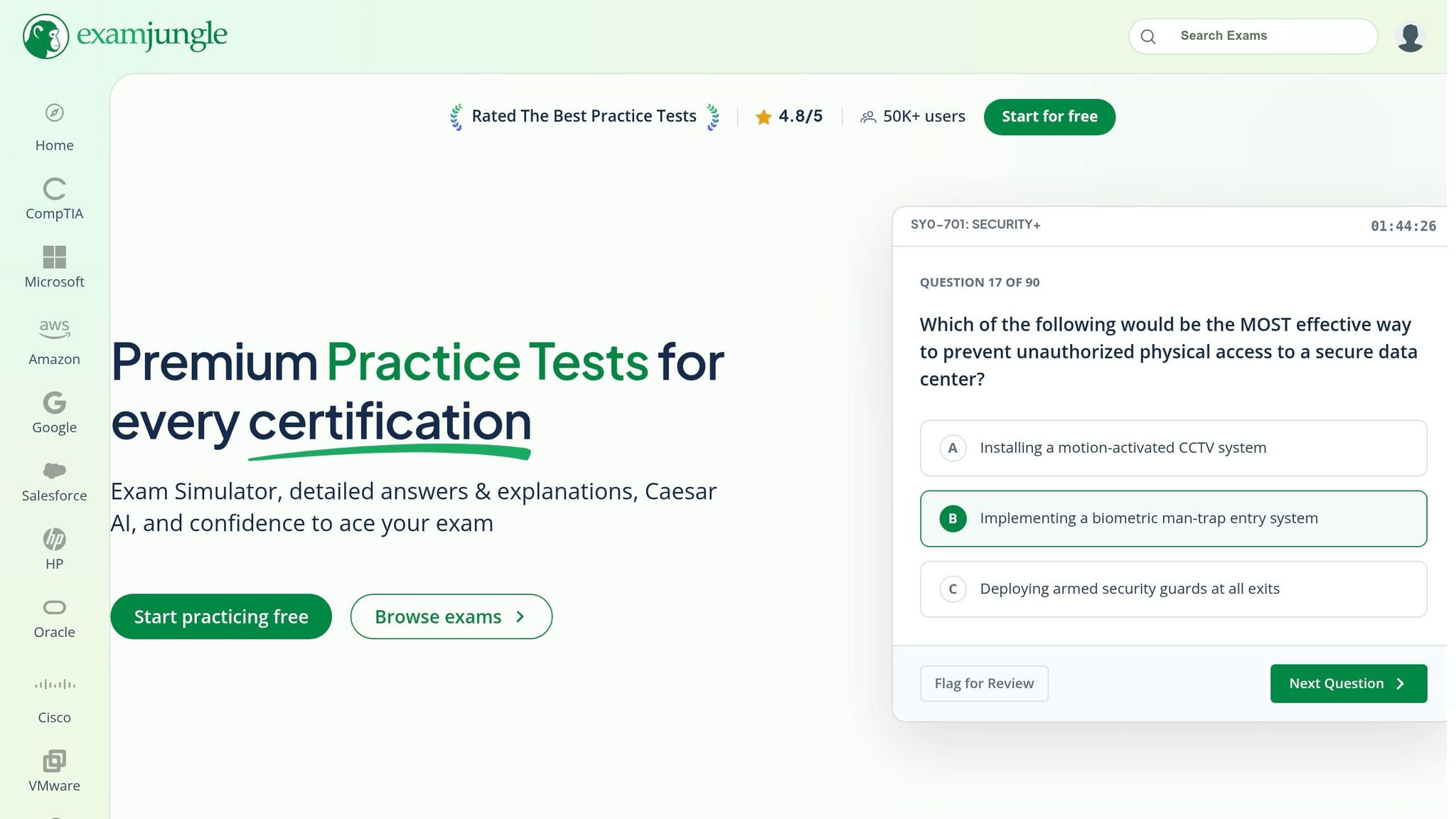
The Exam Simulator mirrors the actual 90-minute, 90-question exam. It helps you build the stamina needed for test day while improving time management. Plus, it pinpoints weak areas early, so you can focus on what matters most[5][1][6][4].
Study Mode and Flashcards for Learning
Study Mode goes beyond rote memorization by providing detailed explanations for every answer. This approach helps you understand concepts deeply, which is critical considering the exam's 50–60% first-time failure rate[8].
Flashcards are another powerful tool, focusing on the exam's 100+ acronyms and common ports (like 22 for SSH, 443 for HTTPS, and 3389 for RDP). Targeted flashcard practice has been shown to improve scores by as much as 18%[8].
Track Your Progress with Caesar AI
Caesar AI is your personal study assistant, tracking your performance and offering tailored recommendations. By identifying mastered topics and areas needing extra attention, it helps you fine-tune your study plan dynamically. Whether you're on a one-month crash course or a longer two-month schedule, Caesar AI ensures you're always on track[1][6][5].
8-Week Study Schedule Example
For most candidates with limited IT experience, an eight-week study plan offers a manageable timeline. This schedule requires a weekly commitment of 10–15 hours, split into 90-minute sessions on weekdays and 3–4 hours on weekends[9]. The plan prioritizes exam domains based on their weight, dedicating more time to Security Operations (28%) and less to lower-weight domains[3].
Week-by-Week Study Tasks
Here’s how you can organize your study efforts over eight weeks:
Start Week 1 with a diagnostic test to pinpoint your knowledge gaps. Focus on foundational concepts like the CIA triad, security controls, and frameworks. This diagnostic test, similar to the practice tests mentioned earlier, helps shape your study focus. In Week 2, tackle governance, risk management, compliance, and security policies. Week 3 shifts to threat actors, malware, social engineering, and password attacks. By Week 4, move on to vulnerability management, penetration testing, and network design topics[9].
In Week 5, explore cloud security and virtualization, and take your first full-length practice exam. During Week 6, dive into Identity and Access Management (IAM), cryptography, and multi-factor authentication. Week 7 focuses on PKI, network security tools like firewalls and IDS/IPS, and incident response strategies. Wrap up in Week 8 with a thorough review of weak areas and complete 3–4 full-length practice exams[9].
Consistent performance on practice exams is essential:
"When you're hitting 80% or higher on full-length practice exams consistently, you're ready to schedule your exam." - LearnZapp[9]
Aim to schedule your exam only after consistently scoring 80% or higher on timed practice tests. This benchmark significantly boosts your chances of passing[9].
Example Study Timelines by Experience
| Experience Level | Recommended Timeline | Total Study Hours | Weekly Commitment |
|---|---|---|---|
| Beginner (No IT background) | 8–12 weeks | 160–200+ hours | 15–20 hours |
| IT Professional (1–2 years) | 6–8 weeks | 120–160 hours | 15–20 hours |
| Experienced IT (3+ years) | 4–6 weeks | 80–120 hours | 15–20 hours |
| Cybersecurity Expert | 2–4 weeks | 40–80 hours | 20+ hours |
This timeline adapts to your level of experience, ensuring a focused and efficient preparation process. Beginners may need to extend their plan to 12–16 weeks to cover foundational networking concepts, while seasoned professionals can compress their study time to 2–4 weeks, concentrating on knowledge gaps and updated SY0-701 objectives[1][2].
Conclusion
Effective exam preparation for the CompTIA Security+ exam starts with understanding your background and creating a study plan tailored to your needs. Your journey to success depends on where you're starting from and how consistently you approach your studies. For beginners, this often means dedicating 2–3 months and around 200–300 hours of focused preparation[1][2]. On the other hand, experienced IT professionals may only need 4–6 weeks with 80–120 hours of study time[1]. The key is to craft a plan that works for you and stick to it.
"Consistency beats intensity almost every time." - CompTIAHelp Team[1]
Prioritize your efforts on the exam's high-weight domains, especially Security Operations (28%) and Threats, Vulnerabilities, and Mitigations (22%)[3]. By focusing on these areas, you’ll tackle the most impactful sections of the exam. Tools like ExamJungle’s Exam Simulator can help you simulate real exam conditions, while Study Mode provides detailed explanations for areas where you need more clarity. If you’re struggling with certain concepts, Caesar AI offers personalized guidance. Make sure you’re consistently scoring 80–85% on full-length practice tests before scheduling your exam[1].
Daily discipline is often the deciding factor between passing and failing. Regular study sessions of 1.5–2 hours are far more effective for long-term retention than cramming over the weekend[1]. Start your prep by taking a diagnostic test to identify your weak areas, and then follow a structured timeline that emphasizes real understanding over simple memorization. This approach ensures you’re not only ready for the exam but also building a solid foundation in cybersecurity.
"The goal isn't just passing the exam. It's building knowledge that serves your career. The effort you put into genuine understanding pays dividends long after you've forgotten your test score." - CompTIAHelp Team[1]
Take the first step today by committing to a clear and personalized study plan.
FAQs
How do I know when I’m ready to book the Security+ exam?
When should you book your Security+ exam? The answer is simple: when you're consistently hitting the right milestones. Aim to schedule your test once you feel confident in the exam domains, regularly score about 80% on practice tests, and have a solid grasp of the exam format. Remember, the passing score is 750 on a scale of 100-900, so understanding how the scoring works is key.
Make sure you've thoroughly covered the essential topics, can confidently handle performance-based questions, and feel ready to approach the exam content with ease. Preparation is everything!
What should I study first if I’m brand new to IT?
If you're just stepping into the IT world, it's crucial to begin with the basics - cybersecurity fundamentals, networking concepts, and core security principles. For most beginners, dedicating around 12-16 weeks or 200-300 hours of focused study is enough to establish a solid foundation. While the Security+ certification is designed for entry-level professionals and doesn’t require prior experience, having a firm grasp of these essential topics can make your preparation smoother and boost your confidence for the exam.
How can I practice for Performance-Based Questions (PBQs)?
To get ready for PBQs on the CompTIA Security+ exam, concentrate on building practical skills through hands-on practice. Utilize resources like practice exams, question banks, and flashcard apps designed to mimic PBQs. Dive into official study guides and participate in hands-on labs or simulations to gain real-world experience. Regularly working through realistic problem-solving scenarios will boost your confidence and prepare you to handle PBQs effectively during the test.